EtherChannel
| Done |
|---|
EtherChannel is the aggregation of multiple physical interfaces into one logical interface
Other names include:
- Port Channel
- LAG (Link Aggregation Group)
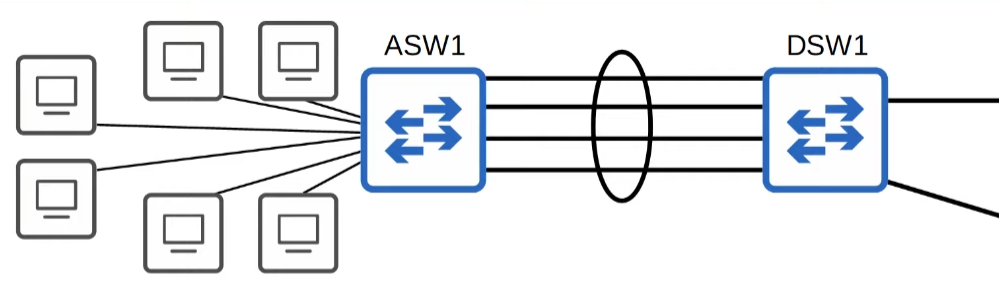
EtherChannel load balances the forwarding of frames based on “flows”, which are basically a connection between two nodes (devices). In a specific node, it will use the same interface for all frames. The calculation of which interface to use, uses the following inputs:
- Source MAC Address
- Destination MAC Address
- Source AND Destination MAC Address
- Source IP Address
- Destination IP Addresses
- Source AND Destination IP Addresses
See the EtherChannel Load-Balance Method being used
show etherchannel load-balanceChange the EtherChannel Load-Balance Method
configure terminal // Global Configuration Mode
port-channel load-balance {method} // Notice that etherchannel is named as port-channel
EtherChannel Protocols
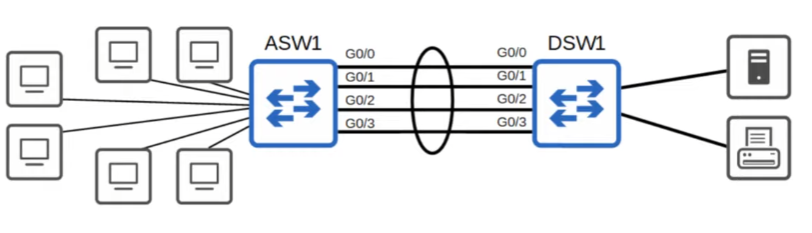
PAgP (Port Aggregation Protocol)
It is a Cisco Proprietary protocol, similar to DTP. It will negotiate the creation/maintenance of the EtherChannel.
Create a PAgP EtherChannel
configure terminal
interface range g0/0 - 3
channel-group {number} mode {auto/desirable}
The number has to match in all the interfaces on the same switch, however, it doesn`t matter relative to the other switch, it can be another number.
- Desirable
- As DTP, it will actively try to form a EtherChannel link
- Auto
- As DTP, it will not form a EtherChannel unless paired with a Desirable one
LACP (Link Aggregation Control Protocol)
It is a IEEE standard, numbered 802.3ad. As PAgP, it will negotiate the creation/maintenance of the EtherChannel.
Create LACP EtherChannel
configure terminal
interface rage g0/0 - 3
channel-group {number} mode {active/passive}- Active = Desirable
- Passive = Auto
Static EtherChannel
It is the least used one, since if a link fails, it will still try to use that interface, once it is not negotiated.
configure terminal
interface range g0/0 - 3
channel-group {number} mode on
Explicitly change the EtherChannel Protocol (not necessary)
configure terminal
interface range g0/0 - 3
channel-protocol {lacp/pagp}
Which ports are bundled and which are in Hot-Standby?
This determined by the LACP Port Priority with each port, and if they are the same, the lower port number will be active.
Even if you set the port priority to a lower number, it can stay in hot-standby, but why?
This happens because the device if the lowest Device ID (Mac Address) will dictate which ports are active and which are in standby, assuming both have the default system priority of 32768.
Change Port Priority
configure terminal
interface g0/1
lacp port-priority 100 // The default is 32768
Change a Device`s Priority
configure terminal
lacp system-priority 100 // T
See EtherChannel information
Summary
show etherchannel summaryPort-channel
show etherchannel port-channel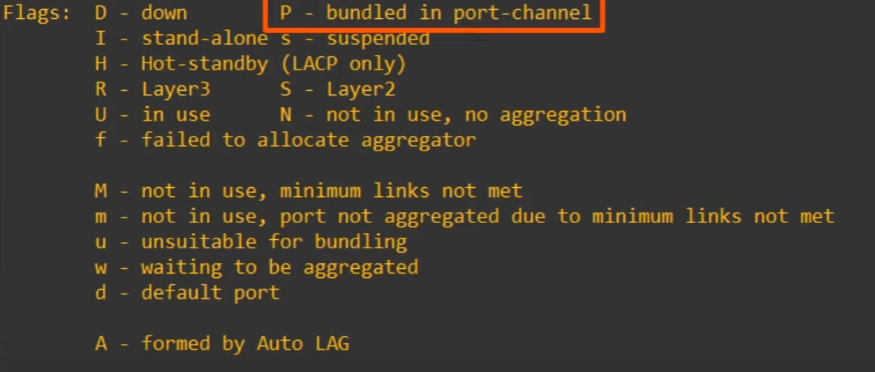
Will a EtherChannel work?
Only if both switches/routers have:
- Same Duplex
- Same Speed
- Same Allowed VLANs
- Same Switchport Mode (Access/Trunk)
PAgP “non-silent”
this optional parameter when configuring channel-group {number} mode {auto/desirable} [non-silent] is used to make ports being added to a EtherChannel group only if the port on the other side is also PAgP capable and configured.